


In many administrative procedures related to labor and insurance, identifying the social insurance code (SI) is a mandatory step.
Currently, users can easily check their social insurance code online via the VNeID application, the Vietnam Social Insurance website, or information provided by the employer.
The article below will guide you on how to check your social insurance code or that of others in a simple, accurate, and situation-appropriate manner.
How to Check Social Insurance Code on the VNeID Application
Step 1: Before checking the social insurance code using VNeID, ensure the application is updated to the latest version. You can check the app store and perform an update if available.
You can check the app store and perform an update if available.

Step 2: Open the VNeID application and log in to your electronic identity account to access it.
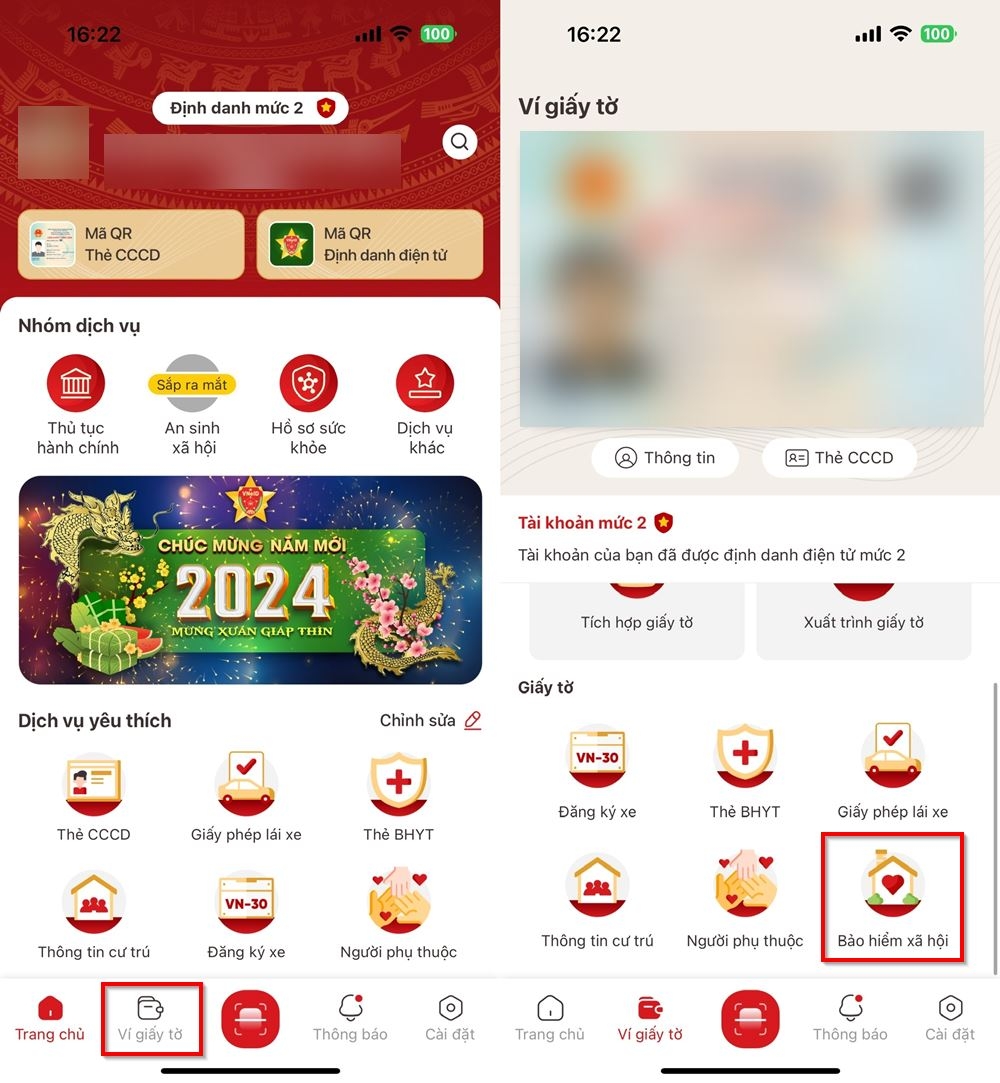
Step 3: On the homepage interface, select “Paper Wallet” from the toolbar at the bottom > Choose the “Social Insurance” section to view your social insurance code.
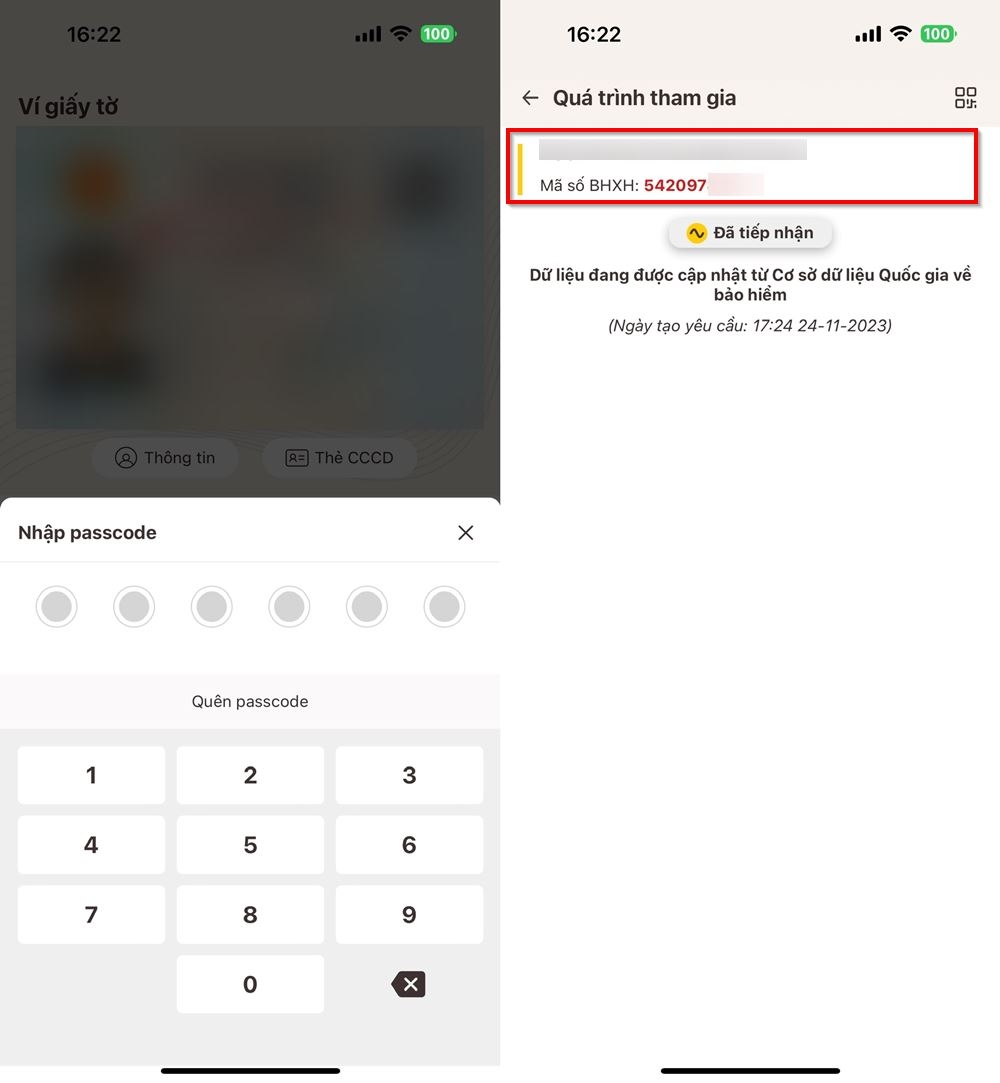
Step 4: The system will request you to enter the set passcode; after entering, you will be redirected to the “Participation Process” section, where your social insurance code will be displayed.
How to Check Social Insurance Code on the Vietnam Social Insurance E-Portal
Step 1: Access the Vietnam Social Insurance e-portal.
Step 2: Enter the following information:
- Province/City (*): Based on the registered permanent residence.
- Full Name (*): Choose to type the name “Without Accents” or “With Accents”.
Note: The website defaults to accents; when typing the name, use correct spelling. For example, if your name is Huệ, typing a heavy accent first will result in Hụê, which will not yield search results.
- Enter at least one of the following: Date of Birth or ID Card/CCCD/Passport Number.
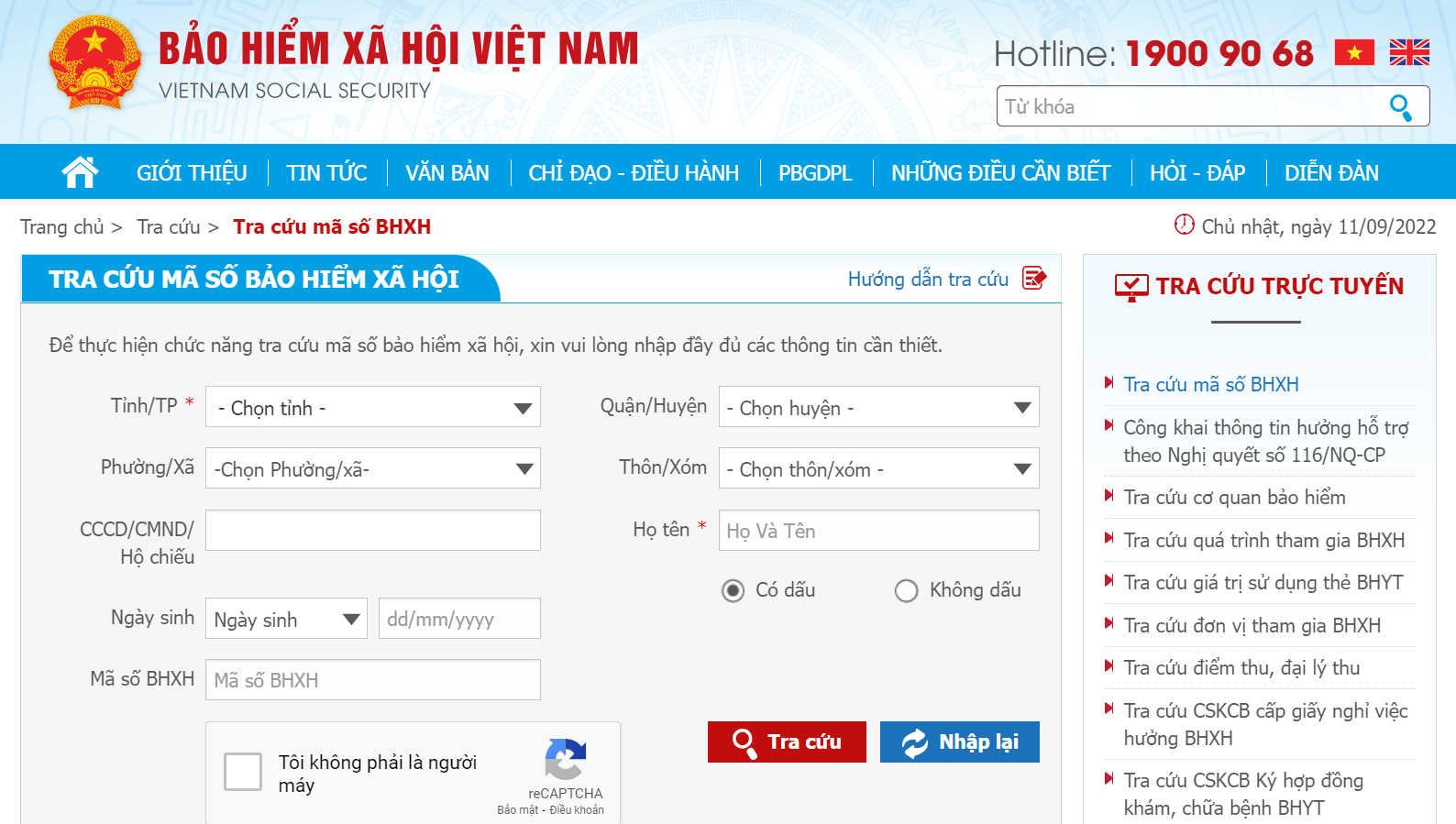
Step 3: Select “I am not a robot” and click Search.
Step 4: View the social insurance code at the arrow as shown in the image.

How to Check Social Insurance Code Using a Health Insurance Card
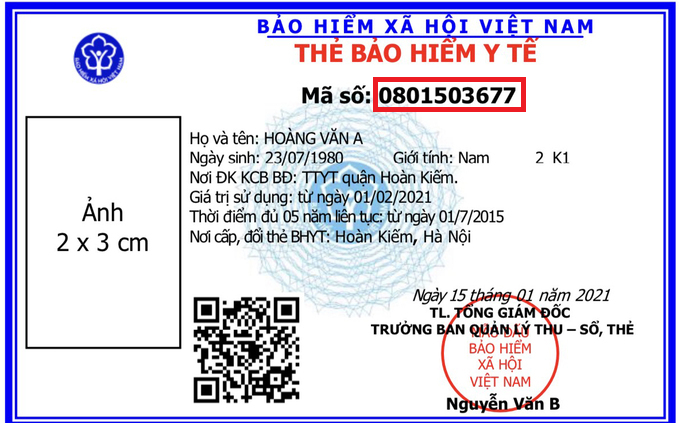
If using the old health insurance card model, the social insurance code is the last 10 digits on the card.

If using the new health insurance card model, the social insurance code is also the 10 digits on the card.
Checking the social insurance code is an essential step for performing procedures related to social insurance, health insurance, and unemployment insurance quickly and accurately.
Hopefully, the above guidance has helped you easily check for yourself or your loved ones when needed.
If you need further support during the declaration process or resolving issues related to social insurance, do not hesitate to contact VINA TPT for specific consultation.
Contact VINA TPT for Support
📞 (+84) 984 980 069
📧 vtpt-infor@classlib.net
🌐 https://vietnamtax.net.vn/
🏢 5th Floor, More Building, 83B Hoang Sa, Da Kao Ward, District 1, HCMC